OpenClaw Security on Yalu.pro
Risks, best practices, and a practical checklist for self-hosted AI agents
OpenClaw is not a “regular chatbot”. It’s an AI agent that can take actions: execute commands, read and write files, interact with email and chat platforms, and call external APIs. That power is exactly why securing OpenClaw matters more than securing a typical web app: misconfiguration won’t just leak text — it can lead to real changes on your server and connected systems.
If you self-host OpenClaw on a Yalu.pro VPS, you control the infrastructure and keep data on your side — but you also own the security posture: access boundaries, secret handling, network exposure, and monitoring.
Why OpenClaw security became a hot topic
The security discussion around AI agents accelerated because of a simple reality: agents can consume untrusted content(web pages, emails, chats) and then invoke tools (commands, file operations, API calls). This opens the door to prompt injection — hidden or crafted instructions inside content that try to manipulate the agent into doing something unsafe (exfiltrating data, modifying files, etc.).
Another common trigger is accidental public exposure: users bind OpenClaw to all interfaces or publish its gateway on the internet, turning it into a discoverable target for scans.
What OpenClaw can access (and why it changes the threat model)
Depending on your configuration, OpenClaw may connect to high-impact systems such as:
Email (read/send, attachments)
Chat platforms (long-lived tokens, impersonation risk)
Calendars (social engineering, schedule mapping)
Browser automation (sessions/cookies become sensitive)
File system (configs, documents, writes)
System commands (install/modify services, scripts)
External APIs (cloud infra, payments, internal tools)
Every integration increases the “blast radius”: compromise one input channel, and an attacker can pivot across everything the agent is allowed to touch.
The biggest security risks we see in real deployments
Most incidents are not “magic AI hacks”. They’re repeatable operational issues:
Weak VPS hardening (default SSH, missing firewall, delayed updates)
Exposed ports and services (public gateway/Canvas ports)
Running without isolation (agent on host OS with broad permissions)
Overly permissive command execution (no boundaries/allowlists)
Unsafe secret storage (keys/tokens stored in plaintext)
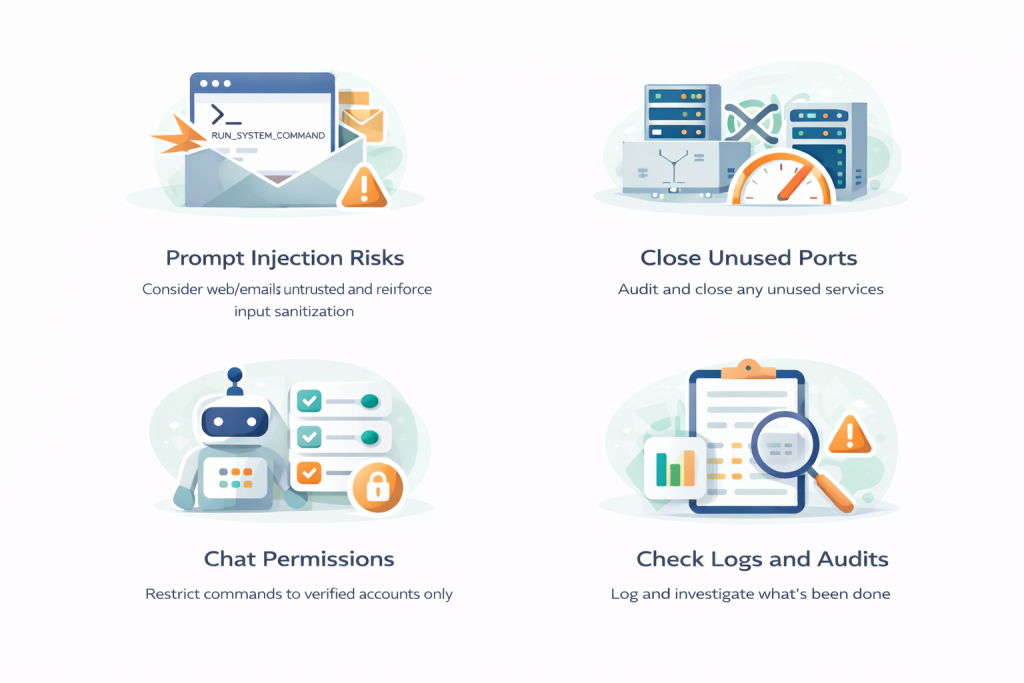
Prompt injection via email/web/chats (untrusted content → tool calls)
OpenClaw Security Checklist
Use this as your baseline before you connect OpenClaw to anything important.
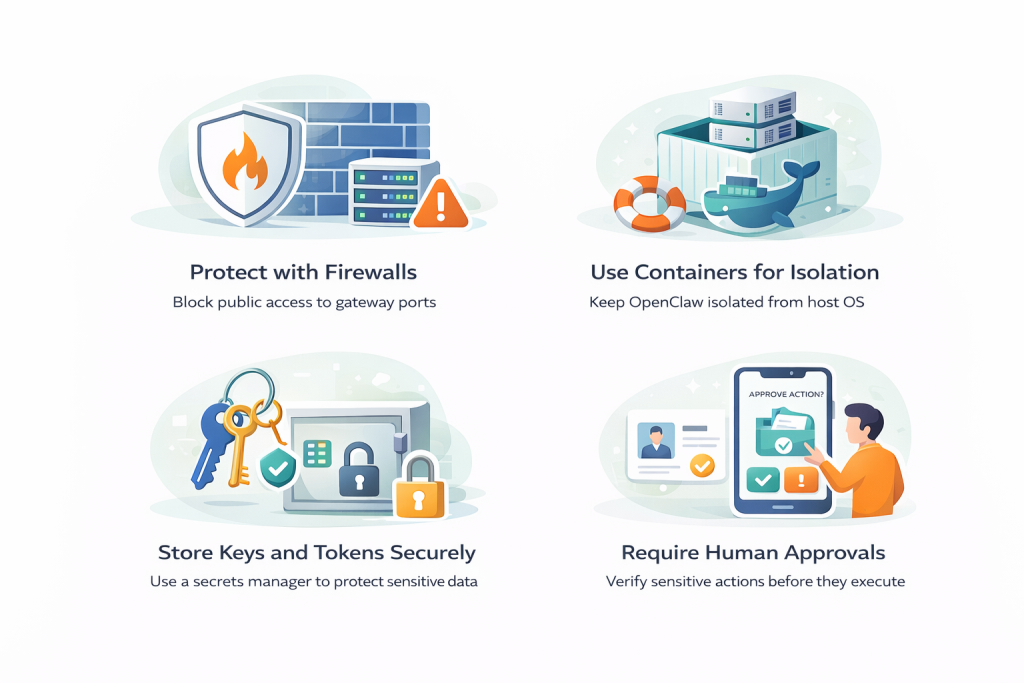
1) Keep OpenClaw private by default
Best practice: no public exposure unless you have a strong reason.
Bind services to 127.0.0.1 (localhost), not 0.0.0.0
Use SSH tunneling for remote access (fast, safe)
Or use a VPN for private access
Block OpenClaw ports at firewall level (gateway commonly uses 18789; Canvas often appears as 18793)
If you must go public: put it behind a reverse proxy, strong auth, and rate-limiting.
2) Audit open ports and close anything you don’t need
Check listening services (
ss -tlnp/netstat -tlnp)Close forgotten dev ports and DB ports
Bind internal-only services to localhost (127.0.0.1)
3) Harden SSH first
Prefer SSH keys, disable password auth
Restrict SSH by IP if possible
(Optional) change SSH port to reduce scan noise (but firewall is the real defense)
4) Never run OpenClaw as root
Run it under a dedicated Linux user with minimal permissions. Root turns every mistake into a full system compromise.
5) Use an allowlist for commands and tools
Flip the model from “block bad” to “allow only approved”. This is one of the highest-impact controls for agents that can execute commands.
6) Require human approval for high-risk actions
Enable “human-in-the-loop” approvals for:
sending messages/emails externally
deleting/modifying files
financial actions (payments/refunds)
production changes/deployments
shell commands with write impact
access/exfil of sensitive data
Important: approvals only help if the gateway itself is secured (a compromised gateway can bypass or alter approval rules).
7) Store API keys and tokens safely
Don’t keep secrets in plaintext configs. Use environment variables or (better) a secrets manager/vault with runtime injection and rotation.
8) Isolate OpenClaw (Docker / sandbox)
Prefer running OpenClaw in a container with:
non-root user in container
minimal image
limited mounts (only directories it needs)
explicit network egress rules
This reduces blast radius if anything goes wrong.
9) Treat browser automation + external messages as untrusted
Prompt injection risk rises sharply when the agent reads:
arbitrary websites
emails from unknown senders
public chat channels
Attackers can hide instructions (including “invisible” text tricks) inside content.
10) Lock down chat integrations and bot access
Accept commands only from specific user IDs / servers / roles
Never add the bot to public groups
Enable MFA on accounts used for integrations
Minimize bot permissions
11) Turn on logging and audit trails
Log at minimum:
executed commands + parameters
accessed/modified files
which integrations/APIs were triggered
who/what initiated action (user, schedule, external msg)
result (success/fail)
Use structured logs (JSON) and consider forwarding to append-only/external storage.
12) Update safely
Patch deliberately: snapshot → update one component → test workflows → keep snapshot 24–48h. Monitor upstream security releases and dependency audits.
13) Start low-risk, expand slowly
Begin with read-only and reversible automations (summaries, briefings), then low-stakes writes, and only later high-risk actions like external emails, command execution, or production management.
What to automate first
Start with workflows that are: read-only, reversible, easy to audit — like email summaries, news/RSS digest, calendar briefings.
